
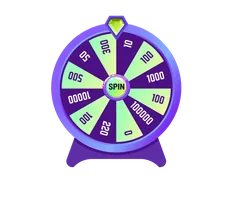
No native TuffPuff app has been found in the app stores, and no native download is published by the casino; use the mobile browser site instead. Its menu connects the lobby, promotions and account features, while Bonus Wheel runs only through a Telegram bot. You can add a browser shortcut through iOS Safari or Android Chrome without installing an APK. Support is available 24/7. For Canadians outside Ontario, remember that TuffPuff is Curaçao-licensed, not provincially operated or registered with iGaming Ontario/AGCO; Ontario residents should use iGO-regulated sites.

Mobile access without a store app
By Liam Carter, for casinotruffpuff.com, an independent guide to TuffPuff Casino. This page explains the browser route rather than an app download: the published mobile option is the website, and no native iOS or Android app is listed.
The official tuffpuff.com address redirects to tuffpuff5.com. Start from the official address rather than an advertisement promising a special mobile version. Select English (Canada) where available and check that the account and cashier display the currency you intend to use.
✓ Pros
- Mobile access does not require a separate casino download.
- The lobby includes demo mode.
- English (Canada) includes C$ promotional amounts.
- Live chat is available 24/7.
✕ Cons
- No native store app is published.
- Bonus Wheel requires the separate Telegram bot.
- No withdrawal processing time in hours is published.
Finding games, menus and account controls

On a phone, use the site’s navigation menu to move between sections instead of repeatedly returning to the landing page. Menu placement can vary with screen width; the useful labels are Lobby, Promotions, Tournaments, Loyalty, Bonus Wheel and Providers. Details of tournaments and the loyalty programme are not published on the promotions page.
| Area | What to look for | Practical use |
|---|---|---|
| Lobby | All games, Popular, Hot, New games | Browse the catalogue or recent additions. |
| Game categories | Slots, Live Casino, Jackpot, Instant Games | Narrow the lobby by game format. |
| Bonus-related categories | Bonus Friendly, Bonus Buy, Drops & Wins | Check the relevant rules before using a bonus. |
| Providers | 146 listed providers | Browse by studio rather than game category. |
| Account | Cashier and My bonuses | Check payment options and activate eligible offers. |
Instant Games include Chicken Road 2.0, Aviamasters 2 and Plinko. Demo mode is available, although it should not be treated as a prediction of real-money results. The Bonus Friendly label also does not replace an offer’s eligibility and wagering rules.
Registration offers email and password or Google quick-start, with an 18+ confirmation and acceptance of the terms and privacy policy. Meet the legal gambling age where you live; the checkbox alone is not permission to play.
Add TuffPuff through iOS Safari
- Open Safari on your iPhone or iPad and enter tuffpuff.com.
- Allow the official redirect, then check the address before signing in.
- Open Safari’s Share menu. Its position depends on your iOS version and browser layout.
- Choose Add to Home Screen. Scroll through the available actions if it is not immediately visible.
- Review the shortcut name and destination, then tap Add.
- Open the new home-screen icon and confirm that it returns to the expected TuffPuff site.
The shortcut is not an App Store installation. Its appearance and whether it opens in a separate-looking window depend on the website and your version of iOS. A shortcut also does not guarantee that your account will remain signed in.
Add TuffPuff through Android Chrome
- Open Chrome on your Android device and enter tuffpuff.com.
- Check the destination after the official redirect.
- Open Chrome’s three-dot menu.
- Choose Add to Home screen if offered. Wording can vary by Chrome version and site support.
- Review the name and address, then confirm the shortcut.
- Launch it from your home screen and sign in only after checking the destination.
These steps do not require an APK file or permission to install apps from unknown sources. If the menu option is missing, update Chrome, open the page in a normal browser tab and check again. A regular bookmark is a suitable alternative.
Browser, desktop or native app?
| Feature | Mobile browser | Desktop browser | Typical native app |
|---|---|---|---|
| TuffPuff availability | Published mobile route | Website access | No native app found |
| Installation | None; optional home-screen shortcut | None; optional bookmark | Usually installed through an app store |
| Navigation | Compact layout on a smaller screen | More room for menus and terms | App-specific layout varies |
| Updates | Site changes load through the browser | Site changes load through the browser | May require app updates |
| Cashier paperwork | Phone files or images can be convenient | Larger display helps review documents | Depends on the app |
| Notifications | Browser and site support vary | Browser and site support vary | May support push notifications |
| Bonus Wheel | Separate Telegram bot | Separate Telegram bot | No TuffPuff app integration published |
The native-app column describes a typical app, not a TuffPuff product. For this casino, the meaningful choice is between phone and desktop browser access. Desktop may be easier for reading lengthy bonus conditions, while mobile is convenient for opening the lobby or contacting support.
Neither a home-screen icon nor a larger computer display changes wagering requirements, withdrawal limits or verification checks. Do not expect an app-style shortcut to provide faster payments.
Cashier, Interac and CAD withdrawal limits
Sign in and open the cashier to see the payment methods actually available to your account. Interac appears in the footer alongside card, bank transfer, crypto, MiFinity, Zimpler and A1 logos. Footer branding does not confirm that every method supports both deposits and withdrawals for every Canadian account.
- Check the currency, amount and any displayed charges before authorizing a payment.
- Confirm the selected method’s deposit and withdrawal availability in the cashier.
- Keep the payment confirmation if the balance does not update; avoid immediately submitting the same deposit again.
- Ask support about unpublished method-specific conditions before transferring money.
| Loyalty level | Published CAD daily limit | Published CAD monthly limit |
|---|---|---|
| 1–10 | C$790/day | C$15,775/month |
| 11–30 | C$945/day | C$18,930/month |
| 31–60 | C$1,105/day | C$23,665/month |
| 61–90 | C$1,260/day | C$26,820/month |
For levels 91–100, only EUR figures are provided: about €1,000 per transaction/day and €20,000 per month; a CAD equivalent is not published. A maximum of 3 withdrawal requests can be open simultaneously. The withdrawal minimum and payout time in hours are not published.
Finance processes withdrawals Monday to Friday, 09:00–18:00 GMT+2, after verification. These are working hours, not a delivery promise. KYC can require a colour passport or driving licence copy, possibly a selfie with ID, and proof of payment method. Requested documents must be supplied within 30 days.
Promotions and mobile bonus activation
Use Promotions to read an offer, then check My bonuses for activation. The Welcome Pack advertises 240% up to C$3,945 plus 300 free spins across the first three deposits. The standard first step is 100% up to C$235 plus 50 free spins; the third is 60% up to C$475 plus 125 free spins.
Some conditions are published only in EUR: the standard welcome-step minimum is about €20, and the second deposit offers 80% up to about €200 plus 75 free spins. No CAD equivalents are published for those figures. The first-deposit High Roller alternative offers 50% up to about €2,000 plus 100 free spins, with a minimum of about €500.
- Activate a welcome bonus in My bonuses within 48 hours after depositing; it remains valid for 5 days after activation.
- Welcome wagering is 45x the bonus amount, including the free-spin bonus conditions.
- Observe the C$7 max bet with a bonus, including Bonus Buy.
- The maximum win per welcome bonus is 5x the deposit used.
- General contribution rates are slots 100%, eligible instant games 10%, non-live roulette 5% and other games 0%.
Other offers include Daily Cashback at 7% up to C$235, Weekly Cashback at 15% up to C$475 each Monday, Hustle Bonus at 40% up to C$395 each Wednesday, and Street Reload at 50% up to C$475 Friday to Sunday. Cashback has a C$790 maximum win.
Bonus Wheel uses a Telegram bot
Bonus Wheel, labelled “Spin & Win”, is available only in the Telegram bot. It is not a browser wheel that becomes available after adding a home-screen shortcut. Exclusive bonuses are also offered only through the Telegram channel.
- Open Bonus Wheel from the casino menu and follow its Telegram route.
- Check the official channel identity: t.me/TuffPuff_Official.
- Use the bot route provided through the official casino or channel rather than searching for similarly named bots.
- Read the offer conditions before accepting a reward or making a qualifying deposit.
Do not send your casino password, payment credentials or KYC documents to an unsolicited Telegram account. The available facts do not publish wheel prize probabilities or detailed bot eligibility conditions, so do not assume that a spin guarantees withdrawable cash.
Troubleshooting mobile access and payments
| Problem | What to try | When to contact support |
|---|---|---|
| Page is blank or incomplete | Reload, update the browser and check the connection. | The problem continues on a stable connection. |
| Game will not open | Close unused tabs and try another lobby game or demo. | The same game repeatedly fails; provide its name and device details. |
| Login does not persist | Check cookie settings and whether private browsing is enabled. | Normal browsing still causes repeated sign-outs. |
| Home-screen icon opens an old page | Open the official address and recreate the shortcut. | The destination is unexpected or appears suspicious. |
| Deposit is missing | Check payment confirmation and cashier status; avoid duplicating it. | You have a payment reference but no corresponding account credit. |
| Bonus is unavailable | Check My bonuses, eligibility and the activation deadline. | The conditions appear satisfied but activation fails. |
| Withdrawal remains pending | Check verification requests and finance working hours. | You need an account-specific explanation; no hourly payout promise is published. |
Live chat is available 24/7, and email support is [email protected]. Include the browser, device, affected page and exact error message. Redact sensitive payment information from screenshots. Clearing site data can help with loading issues, but it will generally require you to sign in again.
Canadian access and licensing context
TuffPuff describes its gambling services as Curaçao-licensed. Its footer says the site is owned and operated by a Cyprus-registered company, with gambling services provided by a Curaçao-registered parent company under a Government of Curaçao eGaming licence. Company names and a licence number are not published there.
TuffPuff is not registered with iGaming Ontario/AGCO and is not a provincial site such as PlayNow, Espacejeux or PlayAlberta. This guide is intended for Canadians outside Ontario; it is not confirmation that access is permitted in every location. Ontario residents should use iGO-regulated sites.
Recreational gambling winnings are generally not taxed in Canada, although professional or business-like gambling can receive different treatment. Keep records and seek qualified tax advice if your circumstances are unusual.
Keep mobile gambling within limits
A home-screen shortcut reduces the effort needed to open the casino. If that makes gambling too frequent, remove it and turn off unwanted Telegram notifications. Set a spending boundary before playing and do not treat a welcome offer as a reason to deposit more.
- Use the Take a break setting when you need time away.
- Request self-exclusion through support if a temporary pause is not enough.
- Contact Gambling Support BC for support in British Columbia.
- ConnexOntario is available at 1-866-531-2600.
- Visit responsiblegambling.org for responsible gambling information and support resources.
Play responsibly
Gambling is entertainment, not income. Set these up before your first deposit:
- Set a monthly budget before you deposit
- Use the Take a break setting in your account for a cooling-off period
- Keep sessions short and plan breaks
- Play without a bonus if you don't want wagering
- Request self-exclusion through 24/7 live chat
- Help: ConnexOntario 1-866-531-2600 and responsiblegambling.org
19+ (18+ in AB, MB, QC) | Gambling can be addictive. Free help: ConnexOntario 1-866-531-2600.
FAQ
Is there an official TuffPuff iPhone or Android app?
No native store app has been found, and the casino does not publish a native download. Use the mobile browser site. A home-screen shortcut is not evidence of a native app.
Do I need an APK to play on Android?
No. Open the official site in Chrome and use a bookmark or home-screen shortcut if wanted. Avoid unofficial APKs and requests to enable installation from unknown sources.
Can I use Interac from my phone?
Interac appears in the footer, but that does not guarantee availability for your account or for both payment directions. Check the logged-in cashier before depositing.
Why does Bonus Wheel open Telegram?
Bonus Wheel’s Spin & Win feature runs only in the Telegram bot. Follow the official casino route and verify the channel t.me/TuffPuff_Official rather than choosing a lookalike.
Are mobile withdrawals faster than desktop withdrawals?
No separate mobile payout speed is published. Withdrawals depend on verification and finance processing, which operates Monday to Friday, 09:00–18:00 GMT+2. No payout time in hours is published.
Should I use TuffPuff while living in Ontario?
Ontario residents should use iGO-regulated sites. TuffPuff is Curaçao-licensed and is not registered with iGaming Ontario/AGCO; mobile access does not change that status.
Disclosure: this page contains affiliate links. We may earn a commission if you sign up through a link, at no cost to you. Legal age only.